Is ChatGPT Safe for Kids? What Parents Should Know
Children hear about ChatGPT at school, from older brothers and sisters, and from adults who use it at work. Sooner or later most parents are asked: “Can I use it too?” This guide sets out what the rules say, what the safety tools do, and where they fall short.
The short answer
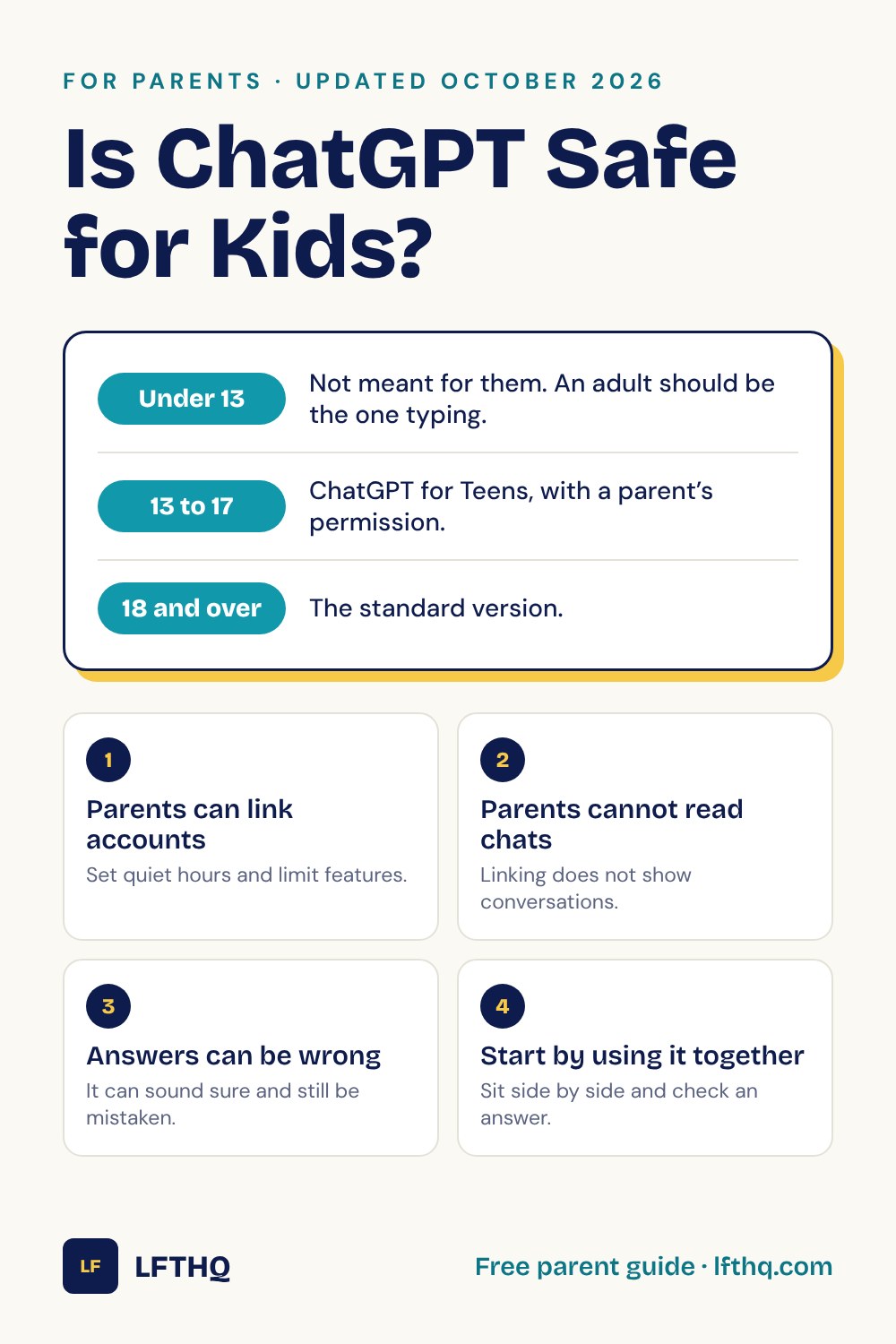
ChatGPT is not made for children under 13, and the company that makes it, OpenAI, says so. For ages 13 to 17 there is a separate teen version with extra protections and parental controls. Independent testers say those protections still have serious gaps.
So for a child aged 8 to 12, the safe way to use a chatbot is together with an adult, with the adult at the keyboard.
This article was last checked in October 2026. AI products change their rules often, so look at the official pages linked under Sources before you decide.
What the age rules say
OpenAI’s help pages set out three things:
- Under 13: ChatGPT is not meant for children under 13. If it is used for learning with a younger child, an adult must be the one using it.
- 13 up to adulthood: teenagers need a parent or guardian’s permission.
- For everyone: OpenAI states that ChatGPT may produce answers that are not appropriate for all ages.
An age rule is not an age check. A child can type a different birthday, which is one reason a conversation at home matters more than the sign-up screen.
What ChatGPT for Teens is
In August 2026, OpenAI introduced ChatGPT for Teens. An account is placed in it when the user gives an age from 13 to 17, or when OpenAI’s system estimates that the user is under 18.
According to OpenAI, the teen version:
- reduces exposure to content that is harmful or unsuitable for young people;
- blocks romantic or sexual roleplay;
- is told not to encourage emotional dependence, and not to suggest that it has feelings;
- adds break reminders and reminders that the user is talking to an AI;
- includes a Study Mode that asks guiding questions instead of handing over the answer.
What parents can and cannot control
A parent and a teenager can link their accounts. Either one can send the invitation. Once linked, a parent can:
- set quiet hours, when ChatGPT cannot be used;
- set study hours;
- keep the “reduce sensitive content” setting on;
- turn voice mode, image generation, and saved memories on or off;
- choose whether the teen’s conversations are used to help train OpenAI’s models. This is on unless a parent turns it off.
There are also limits that parents should know about:
- Parents cannot read the conversations. Linking accounts does not show a parent what was typed or what ChatGPT replied.
- The teen can unlink at any time. The parent is told when this happens.
- Safety notifications are limited. OpenAI says it may alert a parent in a small number of serious situations. The alert does not include the conversation, and OpenAI says it is not real-time monitoring.
What independent testers found
Common Sense Media, a nonprofit that reviews media and technology for families, tested ChatGPT for Teens from July to September 2026. In its assessment, updated in October 2026, it rated the product an “Unacceptable Risk” for anyone under 18 and advised families to keep teens off it for now.
The testers reported that some protections worked. ChatGPT refused explicit roleplay, and Study Mode guided students through their work when they did not ask for a shortcut.
They also reported problems:
- Parent safety notifications often did not arrive during their tests.
- Study Hours and the tutoring mode were easy for a student to get around.
- Test accounts registered as adults stayed in the adult version, even when the tester said they were 13.
- The product still used friendly, feeling-based language that can keep a young person talking.
OpenAI and Common Sense Media describe the same product very differently. Parents can read both and decide. Either way, the tools are a help, and they do not replace an adult who knows what the child is doing.
If your child is 8 to 12
A younger child does not need an account to learn what a chatbot is. These steps work well:
- Use it together. Sit side by side, with the adult typing. Ask it something the child already knows well, such as a fact about a favorite animal, and check the answer together.
- Explain how it works. A chatbot builds its reply one small piece at a time by choosing what is likely to come next. It does not look things up the way a person would, and it does not know whether its answer is true. Our guide What Is a Chatbot? Explained for Kids covers this in a few minutes.
- Catch a mistake. Finding one wrong answer together teaches more than any warning.
- Talk about what it is not. It is a program. It is not a friend, a teacher, or a doctor, even when it sounds kind.
- Look at other apps too. Chatbots are now built into search engines, homework tools, games, and messaging apps. The same habits apply to all of them.
Five family rules for any chatbot
- Ask first. A grown-up knows when you are using a chatbot, and which one.
- Keep private things private. No full name, address, school, passwords, or photos of yourself.
- Check what matters. If you are going to use an answer for schoolwork or to make a decision, check it in a book or with an adult.
- Do your own thinking. Use it to understand a problem. Do not use it to skip the problem.
- Tell someone. If a chatbot says something strange, upsetting, or confusing, stop and show an adult.
Rule 2 and rule 5 are the same rules that keep children safe everywhere online. See Internet Safety for Kids: 5 Rules to Know.
Questions to talk about
- How is asking a chatbot different from asking a teacher?
- How could you find out whether a chatbot’s answer is true?
- What would you never type into a chatbot?
- When is it fair to use a chatbot for homework, and when is it not?
Sources
Checked in October 2026.
- OpenAI Help Center: Is ChatGPT safe for all ages?
- OpenAI: Introducing ChatGPT for Teens (August 2026)
- OpenAI Help Center: Parental controls on ChatGPT
- Common Sense Media: ChatGPT for Teens risk assessment (updated October 2026)
LFTHQ is independent and is not connected with OpenAI or Common Sense Media.