Parts of a Computer for Kids
Every computer, from a giant desktop to the phone in your pocket, is built from the same small team of parts. Each part has one main job. When they work together, you get games, videos and homework help.
The CPU: the brain that follows instructions
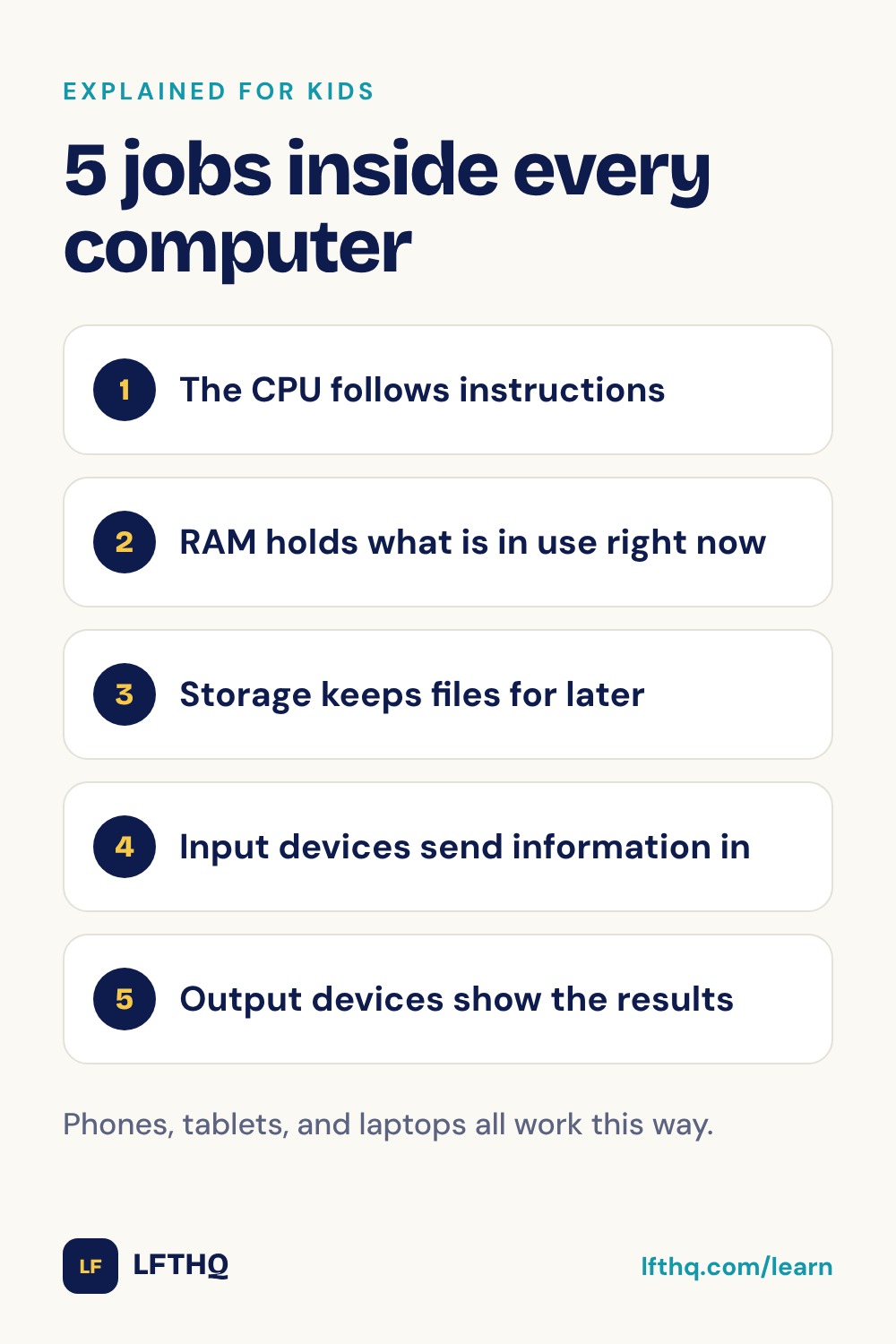
The CPU (central processing unit) is the part that does the thinking work. It reads instructions from a program, one tiny step at a time, and carries them out. Add these two numbers. Move this picture. Check whether a key was pressed.
Each step is simple, but the CPU does billions of them every second. That speed is what makes a computer feel smart. The CPU is a small square chip, usually hidden under a fan or a metal cooler, because all that work makes it warm.
Memory and storage: a desk and a cupboard
A computer has two kinds of places to keep information, and they do different jobs.
- Memory (RAM) is like the top of a desk. It holds whatever the computer is working on right now: the game you have open, the web page you are reading. It is very fast, but it forgets everything when the power goes off.
- Storage is like a cupboard. It keeps your files, photos and apps even when the computer is switched off. Most new computers use an SSD (solid-state drive). Older ones often have a hard drive with spinning disks inside.
When you open an app, the computer takes it out of the cupboard (storage) and puts it on the desk (memory), so the CPU can work with it quickly.
The motherboard connects everything
The motherboard is a large flat board covered in tiny metal lines. The CPU, the memory and the storage all plug into it. The metal lines carry information between the parts, a bit like roads between buildings in a town.
A power supply turns electricity from the wall into the right kind of power for every part. A laptop or tablet also has a battery, so it can keep running when it isn't plugged in.
Input and output: how you talk to the computer
Input devices send information into the computer. Output devices show or play what the computer sends back.
- Input: keyboard, mouse, touchscreen, microphone, camera, game controller.
- Output: screen, speakers, headphones, printer.
A touchscreen is both. It shows you pictures (output) and feels where your finger taps (input).
Many computers also have a graphics card or graphics chip (GPU). It is a helper that is very good at drawing pictures fast, which matters a lot for games and videos.
How the parts work together
Here is what happens in the second after you tap a game icon:
- The touchscreen (input) notices your tap and tells the CPU.
- The CPU finds the game in storage and copies it into memory.
- The CPU starts following the game's instructions, very fast.
- The graphics chip draws the game's pictures, and the screen and speakers (output) show and play them.
All of these messages travel across the motherboard, and the power supply or battery keeps every part running.
A phone or tablet has all the same parts as a desktop computer. They are just much smaller and packed tightly together, often on one tiny board.
Questions to talk about
- Which input devices did you use today? Which output devices?
- Why do you think memory forgets everything when the power goes off?
- If you could make one part of your computer faster, which would you pick, and why?
Questions parents ask
What are the main parts of a computer?
The main parts are the CPU, which follows instructions; memory (RAM), which holds what you are using right now; storage, which keeps files; the motherboard, which connects everything; the power supply; and input and output devices such as the keyboard, mouse and screen.
What is the most important part of a computer?
The CPU is often called the brain, because it carries out every instruction. But a computer needs all its parts. Without memory the CPU would have nothing to work on, and without a screen or speakers you couldn't see or hear the results.
What is the difference between memory and storage?
Memory (RAM) is fast, short-term space for what the computer is doing right now, and it empties when the power goes off. Storage keeps your files and apps for the long term, even when the computer is switched off.
Does a phone have the same parts as a computer?
Yes. A phone has a CPU, memory, storage, a battery, a touchscreen for input and output, speakers, microphones and cameras. Everything is shrunk down and packed together, which is why a phone is really a small computer.