What Is a Router? Explained for Kids
Somewhere in your home there is a small box with blinking lights. It might sit on a shelf or behind the TV. That box is a router, and almost everything you do online passes through it.
What does a router do?
A router has two jobs.
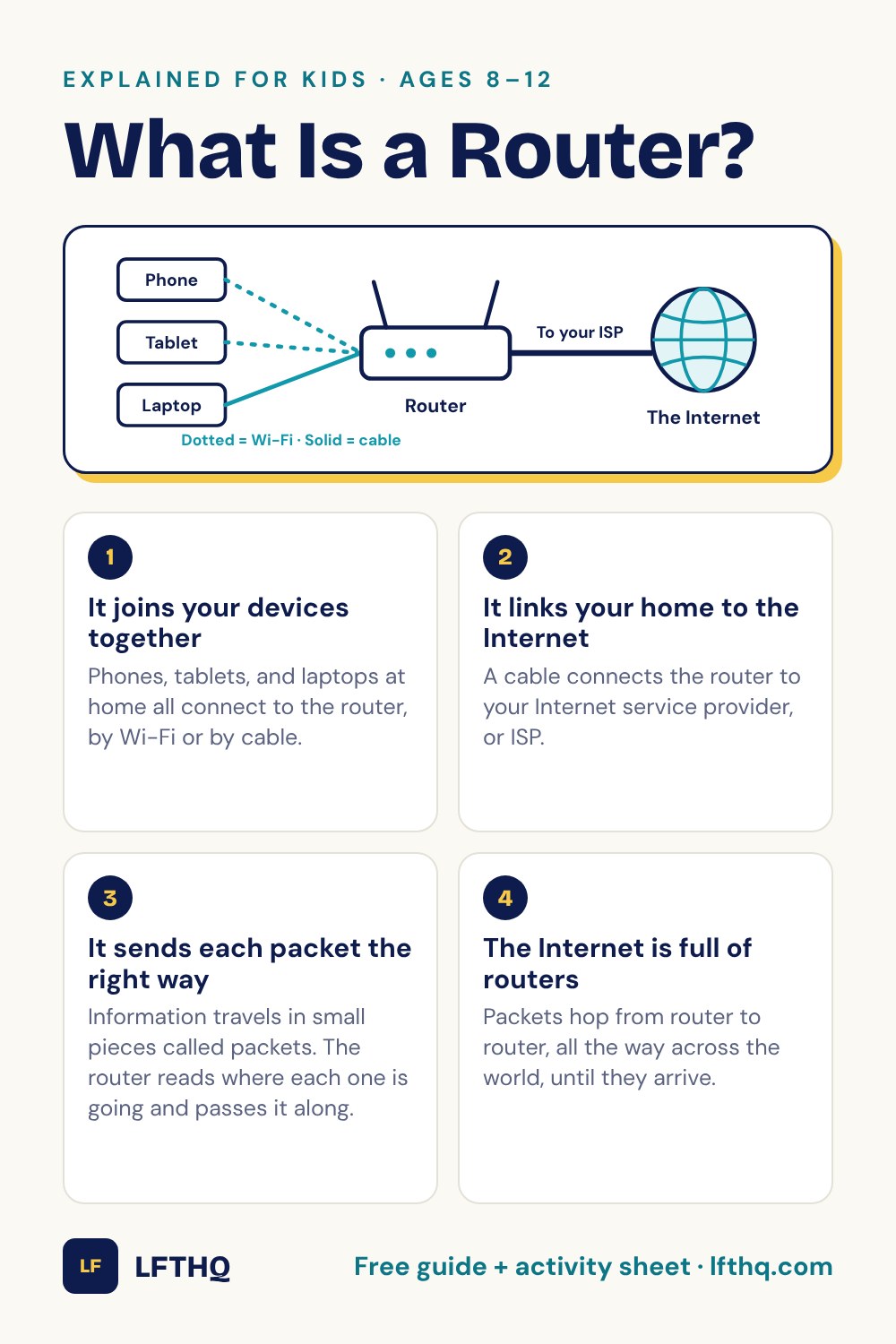
It joins your devices together. Phones, tablets, laptops, and game consoles all connect to the router. Most use Wi-Fi. Some use a cable.
It links your home to the Internet. A cable connects the router to your Internet service provider, or ISP. That is the company that connects your home to the rest of the Internet.
In some homes a second box called a modem sits between the router and the cable outside. In others, both are built into one box.
How does it know where things go?
Information on the Internet travels in small pieces called packets. Every packet carries the address of the place it is going.
The router reads that address and passes the packet along. When a reply comes back, the router sends it to the right device. That is how a video reaches your tablet and not your sister’s phone.
The Internet is full of routers
Your home router is only the first stop. The Internet has a great many routers, in buildings all over the world. A packet hops from one to the next until it arrives. The whole trip usually takes less than a second.
Questions to talk about
- Where is the router in your home?
- How many devices in your home connect to it?
- Why does a packet need an address?
Questions parents ask
What is the difference between a router and a modem?
The modem connects your home to your internet provider. The router shares that one connection with all the devices in the house and sends each piece of data to the right one. Many homes have a single box that does both jobs.
Why does turning the router off and on fix things?
A router is a small computer, and like any computer it can get stuck. Restarting it clears its memory and makes it set up its connections again from scratch. That often fixes slow or dropped internet, at least for a while.
Where is the best place to put a router?
Up high and near the middle of the home works best. Wi-Fi spreads out from the router in all directions, so a router hidden in a cupboard, on the floor or at one end of the house leaves far rooms with a weak signal.
Can parents use the router to set screen-time limits?
Many routers can. Their settings or apps often let parents pause the internet for one device, set bedtime hours or block some websites. What is available depends on the router, so it is worth checking the one you have.